Sunday, 11 May 2014

Stumbled on: Cheat Sheets every IT should have

As usually on any given Sunday, stumbling upon while downloading stuff and preparing dinner sometimes leads to find hidden internet gems like the shown below... that's why I decided to create a post event on every Sunday called "Stumbled on".

 Cheat Sheets every IT should have

First stumbled by Kingrm.
Source: Packetlife.net cheat sheets

CISCO IOS interior Routing Protocols, taken from link above

A comprehensive collection of cheat sheets with a nice wall poster (90x60 cms) size print and available in .PDF format.

Enjoy!


Wednesday, 7 May 2014

GIT: change location of SVN URL if using git-svn

Taken from: theadmin.org, GIT wiki and wiki.kuali.org

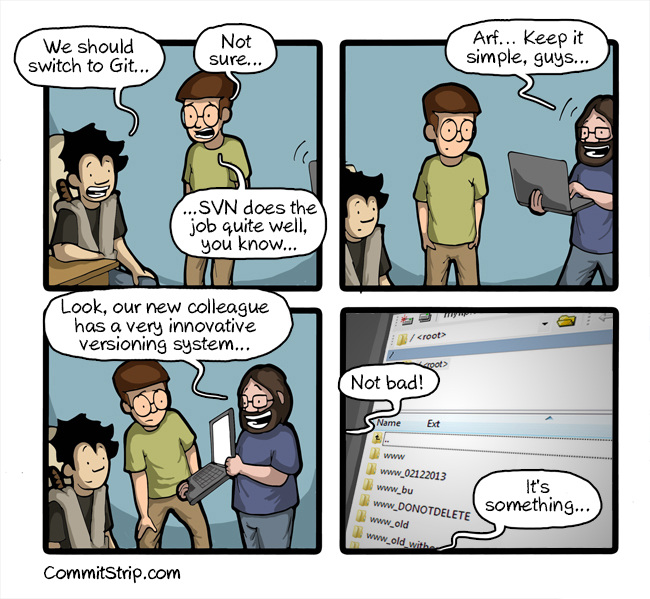
Taken from @CommitStrip
Recently I moved my work environment to a VM sandbox, requiring to change also the location of the SVN-based repositories and server hosted locally.  As my work environment is GIT-based, I normally use git-svn to synchronize my work onto a SVN mirror, maintained mostly due to a client requirement as they still use SVN.

One would thought this would be as simple to run svn switch --relocate or just edit the .git/config file and change the svn-remote URL, but then again, this is SVN..

Just in case I backed-up the svn server and the .git/config file, then I tried the instructions below:

   Edit .git/config and change the URL in svn-remote tag  
   git svn fetch  
   Edit again the .git/config file and replace the URL with the old one.  
   git svn rebase -l  
   Change (again) the URL at .git/config file to the new one.  
   git svn rebase.  

But this yielded no result, when trying to rebase I got the following error:
Unable to determine upstream SVN information from working tree history
As explained Here this will only works if the fetch command actually fetch anything, it was not my case, so I tried the following:

   git svn info # double check UUID's  
   git config svn-remote.svn.rewriteRoot OLD_URL.  
   git config svn-remote.svn.url NEW_URL.  
   git svn fetch --parent.  
   git svn rebase.  

This did the trick, as explained below this will not break the history as the old URL will still be used in the commits, but it didn't matter to me.
Git-svn couples git commits to the origin SVN repository by embedding the original SVN url in the commit. Changing this url will change the Git commit SHA (basically rewrite all your history). Google results furnish various elaborate schemes for reconfiguring and patching up the Git repo, but the safest approach involves using built-in support for "rewriting" the Git-svn root url. This effectively tells Git to continue using the original SVN url for purposes of Git history, but use an independent URL (the new location) for actually retrieving and commit deltas (you will have to live with the old url in your commit history, but most likely you will be the only one that sees that).
 

Thursday, 1 May 2014

Unboxing and testing the Thingsquare IoT kit


Some months ago the Thingsquare folks hosted a contest to help spreading the world abouth Thingsquare and their wireless mesh networking and connectivity solution to the Internet of Things (see chached details about the contest here)... well, luckily I was one of the winners of the The Thingsquare IoT Kit (a limited edition unavailable now), featuring:
  • USB cables.
  • Ethernet cable.
  • SmartRF06 evaluation boards, featuring a LCD, buttons and plenty of test points, with on-board accelerometer, light sensor and UART back-channel over USB.
  • Radio System on a Chip (SoC) boards(TI CC2538-based), featuring an ARM Cortex M3-based MCU system with 32K RAM, 512 KB flash,  alongside a 2.4GHz radio transceiver, IEEE 802.15.4 compatible.
  • An Olimex MOD-ENC28J60-based Ethernet connectivity router.
  • Login credentials for the Thingsquare server.
  • Cool stickers!. 
Running on top of Contiki operative system of course.

Here it is after unboxing:

Thingsquare's IoT kit unboxed

The setup was quite straight-forward: 

Just assemble the Router-labeled node together, bundling the ethernet board onto the intermediate assembly board, on top of the SmartRF06 board (quite a sandwich there), and plug-in the CC2538EM with the router label.  Once the router was assembled I only had to connect it to one of my router's free LAN port through the provided ethernet cable, power the evaluation board through the uUSB port (be sure to enable powering via USB by moving the SOURCE switch to USB, and to place the jumper to connect VDD and EB power pins on the SoC board). 

After powering the board, a green LED next to the ethernet board should lit up and the yellow one will start blinking, another green LED on the board will start blinking until obtaining an IPv4 address from the router, the it will stop blinking... I did not catch this at first (an engineers motto taken from Tropic Thunder: we don't read manuals, manuals read us!), I was expecting "something" to show up on the LED display but no feedback there (I was tempted to replace the board's display to discard a broken unit), but as I was already on my routers box management utility, I found the assigned IP address given by the DHCP server, and test connectivity to the board with an extended ping.

To assemble the remaining nodes just plug in the SoC boards on top of the SmartRF06 boards, and power as above.  

A quick photo of both nodes back-to-back is show below:

Router and device back-to-back

The nodes will display the follow progress messages over the LCD display:
Waiting for wireless network
Waiting for Internet DNS
Waiting for server connection
Register PIN ##### at thingsquare.com
 If everything goes well then you should get a PIN number for each node (except the Router).

Registering the device is quite simple, at the Thingsquare's demo page just register the device and name it, the node's LED display will be updated quickly afterwards, in case you are wondering mine's Luffy (you can expect the rest of the tripulation to jump in anytime):

The node registered and ready

The demo has some cool stuff, what I liked the most was to actual develop code on the web browser and then remotely compile and flash the node, allowing to pause/continue the device after being programmed, and commanding the device to blink on request to assert it is running, simple but always useful, specially when introducing people to the IoT world and needing to show some real hardware doing wireless "stuff" (do not under appreciate the commercial power of a blinking LED!). 

Thingsquare browser-based IDE


The setup was simply enough to have it ready in 5 minutes, the demo page is very straight-forward to follow and the code examples and shown features briefly show the capabilities and possibilities of  the system, below are some cool examples of a sensor metering system and an intelligent street lighting deployment.


The development kit is quite complete and it was a great addition to my collection: TI evaluation boards are well suited for testing, prototyping and the TI CC2538 support on Contiki is coming along just great, and as Thingsquare actively contributes to Contiki (heck, the CEO is Adam Dunkels), one can expect nodes and products based on this SoC to be a popular choice amongst developers.

I will continue testing, I missed to take some wireshark pcap screenshots, so hopefully I will update this anytime soon.

Wednesday, 23 April 2014

A water doplet maze too hot to be true

First stumbled upon this Here.

The Leidenfrost effect is one of my favourite physics effects, daily present in common things as a droplet of waiting failing on a hot pan, it can be driven to cool experiments like this one done by undergraduate students from Bath University.

When a liquid comes in contact with a surface twice as hot the liquid's boiling point, the liquid never touches the surface: a vapor barrier prevents the two from touching. If the surface has saw-tooth like edges, the doplet will move as shown below.


Discovering Sigfox

Image taken from www.sigfox.com
A few weeks ago We were invited to a workshop hosted by Abertis Spain, introducing SIGFOX: a cellular/mobile provider offering no less than connectivity for the Internet of Things through its star-based cell infrastructure, acting as a transport channel, even for devices running on batteries.

In a telecommunication market vastly competing for higher bandwidth and high data rates, SIGFOX proposal is quite simple yet appealing: lower data rates and low power consumption equals lower rates/prices (€1-€14), which is good as you can plan ahead what billing plan fits your expected data traffic, giving you exact numbers when having to dimension your network and its possible growth.

Abertis Telecom is SIGFOX operator in Spain, allowing to use its telecommunications infrastructure (broadcast, satellite and mobile communications) to support applications built on top of SIGFOX.  This is a good thing to have in mind when planning a network and its possible growth over time, specially in Smart Citiy applications in which new devices have to be added to either expand the service coverage or add new features, to zones that may lack the proper infrastructure, thus avoiding extra civil work.

But of course, coverage can still be a problem for any RF-based solution :)

As most IoT/WSN applications at the end can be simplified to a basic origin/sink approach, the SIGFOX model can be embraced and ported to existing applications, keeping the power consumption as low as the transceiver allows, as taken from the SIGFOX page:

"Typical emission consumption of a SIGFOX Ready™ modem varies from 20mA to 70mA and they consume next to nothing when inactive"
Which is possible of course by restricting data traffic to one-direction only with low updating rates :)

Now the technical part:

What I found atractive about SIGFOX was the fact that they use sub 1-GHz RF transceivers, thus anyone can port its existing application and adapt to its protocol, not having to purchase a specific radio model or closed HW, as SIGFOX bussiness is focused only on being the carrier, however a certification process is required as expected.

SIGFOX operates in ISM bands (license-free frequency bands), it currently uses 868MHz on Europe (as defined by ETSI and CEPT) and the 902MHz in the USA (as regulated by the FCC), offering different profiles or classes, 0-3, being 3 the worst, mostly for well-covered zones.  I imagine the difference between classes is the transmission power levels, which is expected as to avoid self-interference the wisest thing to do is to confine devices into its cell, avoiding overhearing and interfering with each other and others.

As said earlier, SIGFOX focuses on low throughput devices, restricted to send up to 140 messages per day, each message of maximum 12 bytes (payload data).  Altough this may seem as too low compared to most byte-hungry messages going on the airwaves (up to 128 bytes for most RF transceivers), it actually fits most existing applications, leaving just enough space for data and sensor readings (up to six sensors each with 16-bits measures).  The slow data rate is expected (RSSI are close to -130dBm, so I'm guessing >1Kbps), and in fact is what SIGFOX is promoting, so you will need to think your application towards these constrains, fortunately there are quite a few possible scenarios in which this will work.

My main concern is of course self-interference, as it is right now with fewer radio stations installed all around, reaching to an existing one may require transmitting at a higher power, which in CEPT region places us below the 500mW limit of the 869.400-869.650MHz band, where you can have channels up to 25KHz or even use the whole bandwidth as a high-velocity channel.  The AFA/LBT/duty cycle requirements of the regulation mitigates to some point the self-interference, SIGFOX devices do not use a fixed frequency channel but a random one so there is lesser chances to being interfered twice, also as update rates are quite low, retransmissions attempts can be sky-rocketed as no close to real-time responses are expected, but not all applications are as relaxed.  As we already know, with proper network planning and infrastructure deployment, cells can be adjusted and dimensioned to restrict this effect and the class concept plays an important role in this, but this is a known and expected problem needed to be addressed eventually (surely it is already on their mind!).

The folks at Abertis were kind enough to give free SIGFOX demonstrators, here's ours:

SIGFOX demonstrator with short antenna and user button (back)

The next step will be testing the kit myself and try to sniff some traffic, adapt my sub-1GHz node (a CC1120-based device running on top of a TI MCU) to SIGFOX and develop a simple demo, some colleagues at the office have interesting ideas about what to connect to.

 Documentation available Here

Tuesday, 22 April 2014

Unboxing new starts

When do you think about starting a blog?

I'm no stranger to blogs, but it has been a while since I have written in one, so it took me quite some time to realize it was finally time to start over and write about things I take for granted, things I do daily at work and remain shut down to the public behind well-drafted NDAs, things I'm excited about discovering and testing out, but do not survive the pomodoro scheduling, things I want to build and tinker with, but end up in a box, a tech scrapbox.

Literally.

After moving out back-and-forth for one place to another, the one cargo that kept growing was my electronics/cables/development kits/samples box, now actually split into 2 Ikea's 50lt boxes, plus my little "crap box" at the office filled with tons of Sparkfun/Seeedstudio/Digikey one-click purchases, plus sensors, actuators, MCU/RF transceivers and "toys" courtesy of Zolertia (where I currently work).

So it is time to start sharing my experience and work, hopefully allowing me to rescue interesting stuff from the parts graveyard, and build some cool stuff: I have already a couple of Raspberry Pi lined up, so it should be fun.

I wasn't joking about the boxes... this is the half-empty one
About me: I'm an Firmware Engineer, with a MSc degree in Electronics, specialized in Wireless Sensor Networks (WSN) and embedded devices.  I currently live in Barcelona, Spain, have developed and deployed more than a dozen WSN/IoT/Electronics related projects all across Europe, I like to think of myself as an Unix-evangelizer and Python enthusiast, generally distrustful of tech gurus and thought leaders, with a soft-spot for beer and DIY projects.

So welcome, feel free to come by, if you happen to be near I might be able to go for a beer, or a dozen.